MyJABLOTRON
|
12. 10. 2026
Ventilate in time. The app alerts you to humidity and higher CO₂ levels
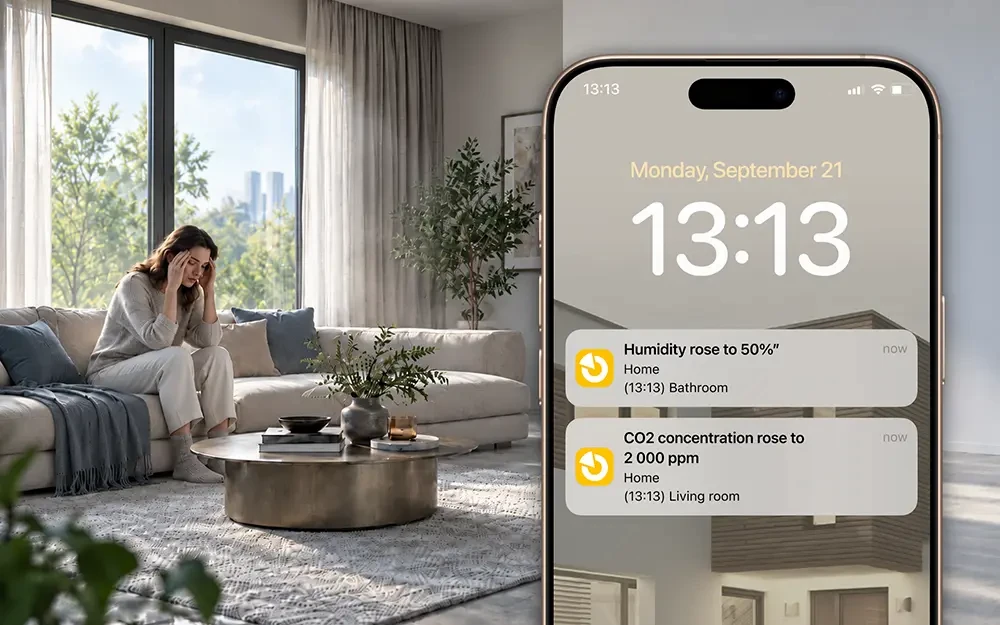
Do you have the new JABLOTRON thermostats? We have added alerts for air humidity and CO₂ concentration to the MyJABLOTRON 2 app, just like the ones you know for temperature.
High humidity in the bathroom or bedroom can cause mould, while air that is too dry is not good for you in winter when the heating is on. A high CO₂ concentration means the air is stale and it is time to open a window.
You no longer have to keep an eye on the values yourself – the app sends you an alert as soon as they rise above or fall below the limit you have set.
To prevent alerts from arriving too often, you can adjust the hysteresis. When humidity rises above the limit you have set, for example 60%, you receive an alert. The next one arrives only after humidity first falls by the hysteresis value (with the default 10%, down to 50%) and then rises above the limit again. Hysteresis works the same way for CO₂; the default value is 200 ppm.
How to do it
- In the system detail, open the context menu (…) and select Notifications.
- Choose the notification type: PUSH, SMS, voice or e-mail.
- In the Events from other devices section, select Humidity or Air quality.
- Tap + Add rule.
- Select the sensor, choose Rises above or Falls below and enter a value.
- Adjust the hysteresis if needed and decide whether the rule should apply All day or only at a specified time.
- Save the settings.
Good to know
- Humidity alerts work with the JB-112TH/TP and JB-1x1TH/TP thermostats, air quality alerts only with JB-112TH/TP. You can find out more about the new thermostats here.
- For air quality, you can choose a band instead of a number: Excellent (600–750 ppm), Average (750–1,200 ppm), Fair (1,200–1,500 ppm), Poor (1,500–2,500 ppm) or Bad (above 2,500 ppm).
- Alerts by SMS or voice message are subject to a charge.
Available from version 1.23.0.