MyJABLOTRON
|
13. 5. 2026
Temperature info right on your home screen? Set up the thermometer widget
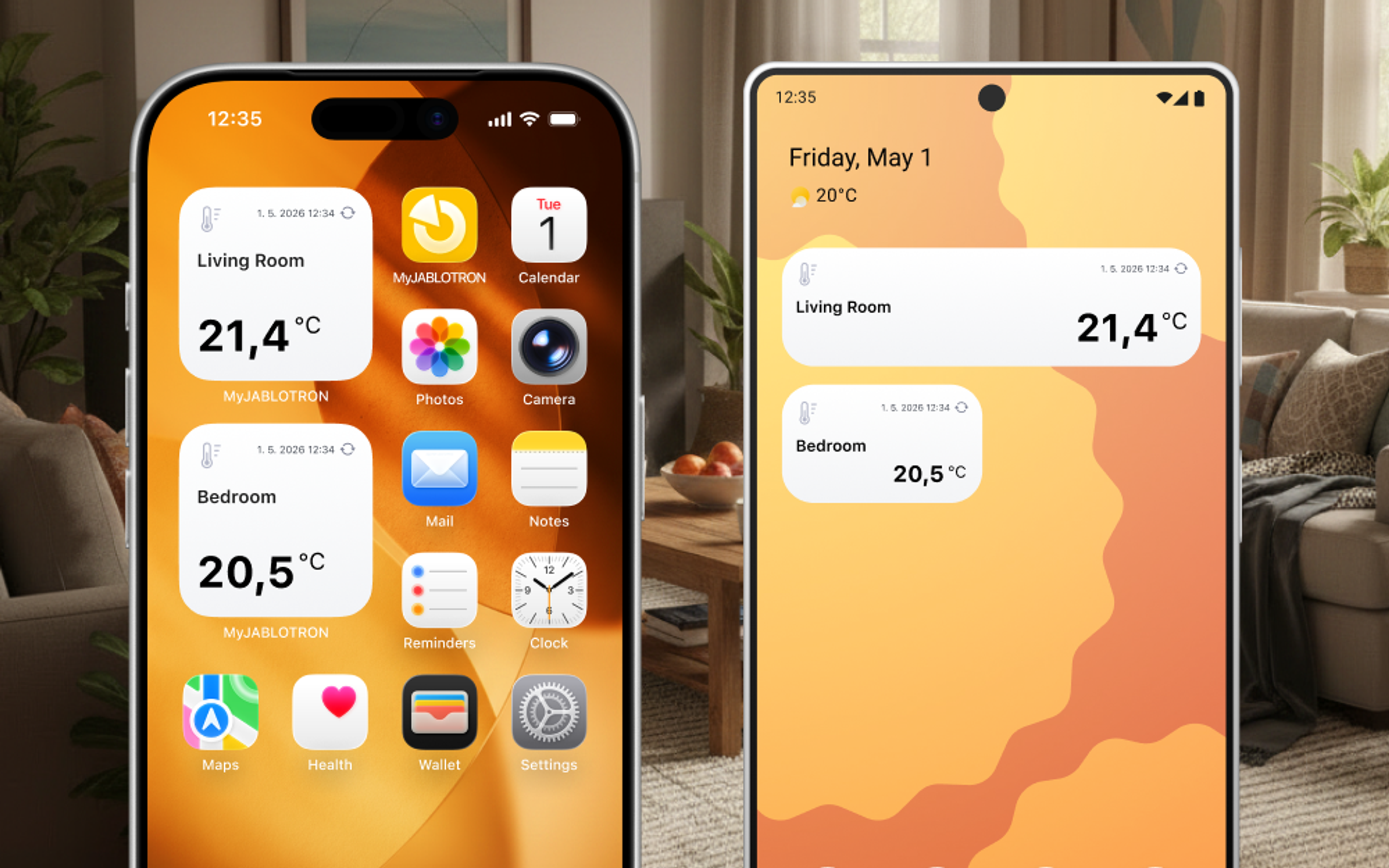
A thermometer widget is now available in the MyJABLOTRON 2 app. Thanks to this, you can see the current temperature right on your phone's home screen without having to open the app.
Keep an eye on the temperature
You already know the widgets for controlling sections and running automations: disarming the alarm when you arrive home, launching your favourite automation with a single tap, and so on.
The new widget displays the actual temperature directly from the place you are interested in: the garden, the cottage, the cellar, or the nursery. And it is right on your phone's home screen, without you having to open the app and search through the menu options.
How to do it?
iOS
- Press and hold an empty space on the home screen and tap + or Edit in the top left.
- Find the MyJABLOTRON 2 app.
- Select the Thermometer widget type. This is only available in the half-size variant.
- After placing it, tap the widget, select the device, and assign a specific thermometer. You can also choose an icon for better distinction.
Android
- Press and hold an empty space on the home screen and select Widgets.
- Find the MyJABLOTRON 2 app.
- Select the Thermometer widget type.
- Set up the widget: select the control panel and assign a specific thermometer.
- You can resize the widget after placing it.
Good to know
- Widgets work on the phone's home screen; they are not intended for the lock screen.
- Status updates are managed by the phone's operating system. If you need an immediate refresh, tap the refresh icon on the widget.
- Tapping the thermometer widget opens the app to the temperature history graph.
The Thermometer widget is available from version 1.18.0.