MyJABLOTRON
|
14. 5. 2026
Recordings from a memory card directly on your phone. Download them with a few clicks.
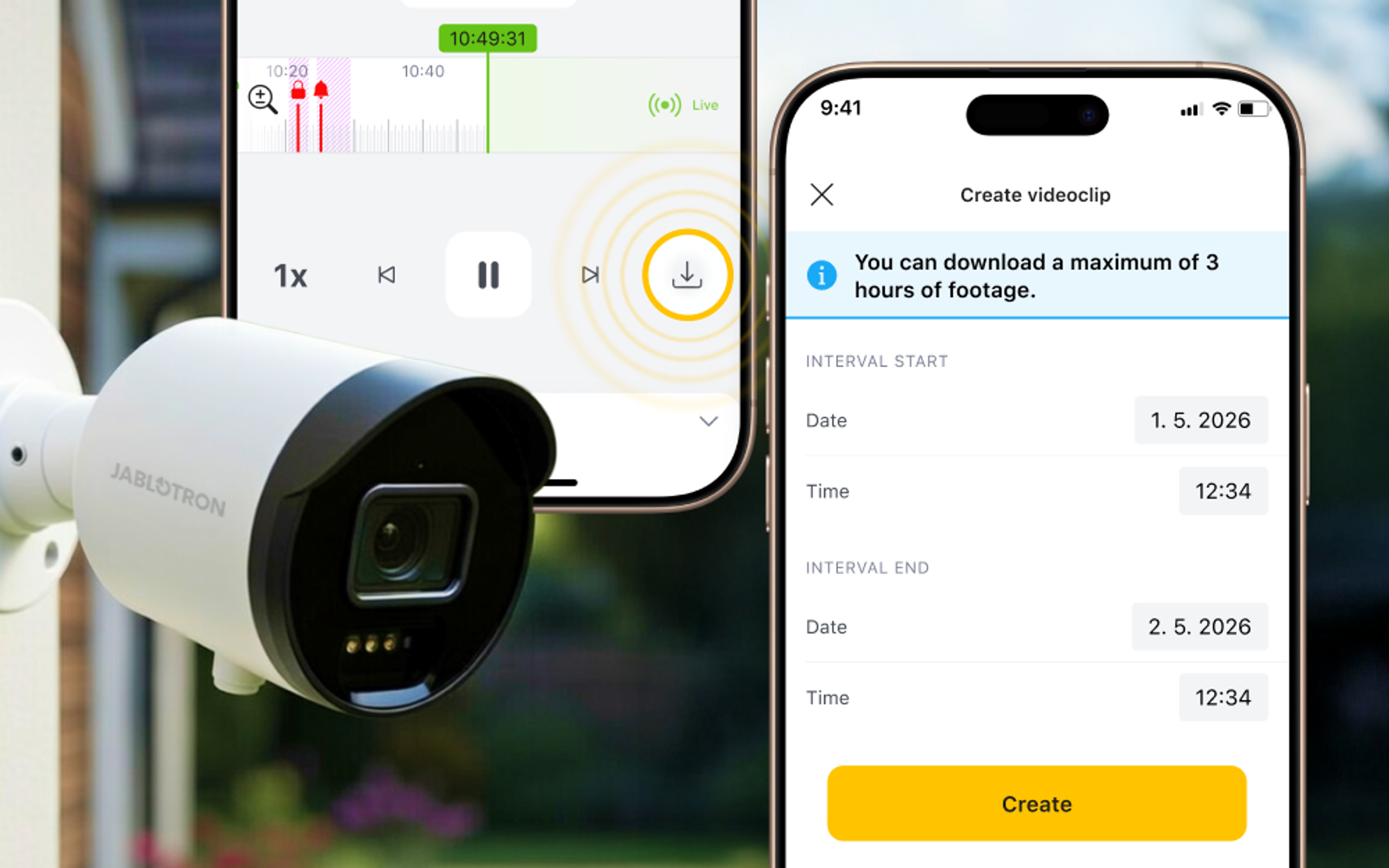
Do you save your camera recordings to a memory card and need to share the footage with others, but don't have cloud storage? In the MyJABLOTRON 2 app, you can now download recordings directly to your phone.
You can clip a segment of up to three hours from the recording and save it to your phone as a video. From there, you can share it anytime, just like any other video in your gallery.
How to do it?
- Open the camera in the app and go to memory card playback.
- Tap the download icon
 in the control panel below the player.
 - In the form, set the start and end of the segment – maximum 3 hours.
- Tap Download. The recording will be saved to your phone's gallery. When downloading for the first time, your phone may ask for permission to access photos and videos. Without this, the recording cannot be saved to the gallery.
Good to know
Downloading this way works for cameras with an inserted memory card and active recording; you don't need any paid cloud storage. If you don't have a memory card yet, you can find an article on how to enable memory card recording here.
Available from version 1.18.0.