MyJABLOTRON
|
10. 10. 2026
Already have video from your cameras? Now add audio too
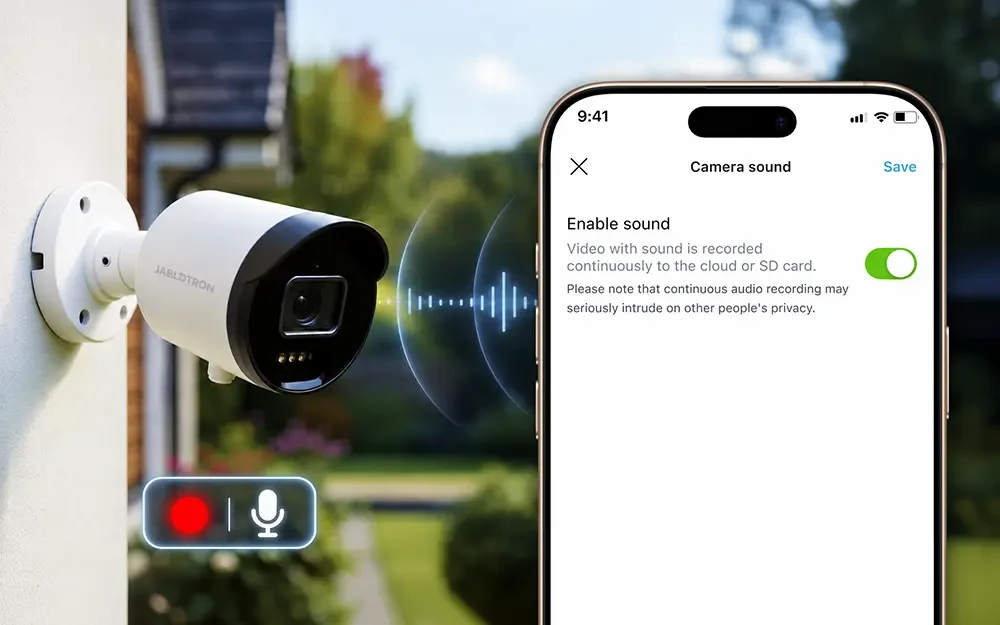
Would you like to hear what is happening in the room as well as see it? JABLOTRON cameras now also transmit audio in the MyJABLOTRON 2 app. All you need to do is enable audio recording in the camera settings.
Until now, you could only watch the video in the app. With audio, you can easily tell whether the dog is barking at home or someone is talking at the entrance. You will hear everything in the live view and, if recording is enabled on the camera, in the recording too.
When you turn recording on, the camera records audio continuously. When it is turned off, audio is neither recorded nor transmitted, so wherever you do not need or want to hear anything, simply leave recording turned off.
How to do it
- In the app, open the camera details.
- Tap the gear icon.
- Select Camera audio and turn on Enable audio.
Good to know
- All new JABLOTRON cameras can transmit audio. They have a built-in microphone.
- Respect other people’s privacy. Continuous audio recording can intrude on the privacy of other people, such as visitors, neighbours or employees. Before turning it on, consider where the camera is and who it might capture.
- The setting applies to each camera separately.
Available from version 1.23.0.